Overview
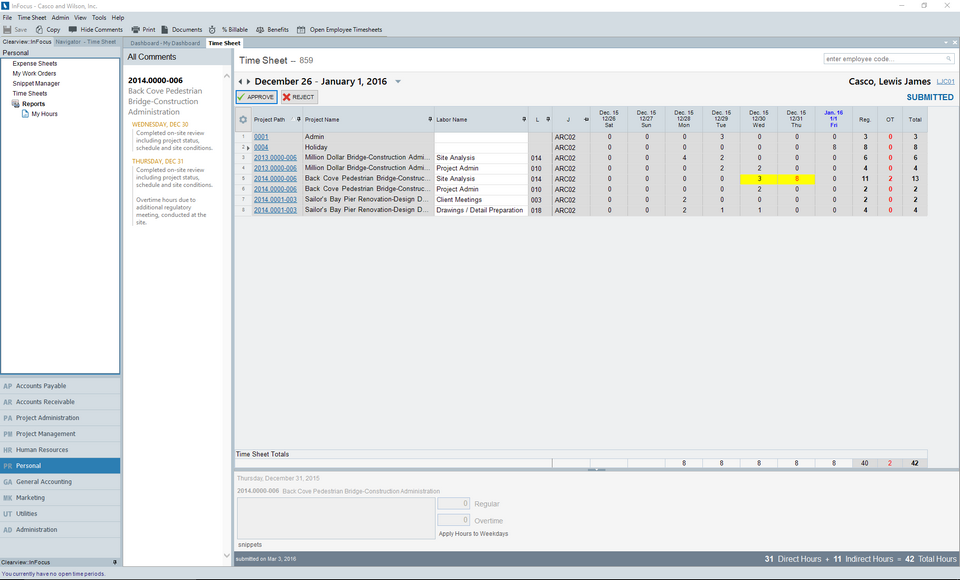
Each employee is assigned a Time Approvers and Alternate Time Approver (as appropriate) via Human Resources>Employees>Accounting/Rates tab. As a time approver you have the ability to review and subsequently approve or reject an assigned employee's timesheet.
Note Timesheet approval is also available for web/mobile via InFocus Mobile.
Tutorial
Please complete the following steps:
| 1. | Browse to Personal>Timesheets |
| 2. | Click Open Employee Timesheets from the Toolbar and select the timesheet you wish to review |
| 3. | Click Approve or Reject as appropriate (this can also be done via the Timesheet Menu). If rejecting, provide instructions for the employee as appropriate- the instructions will appear on the user's timesheet for their review/correction. |